How it works Pricing Integrations Articles
Sign in Sign up
Clientping
How it works Integrations Articles Pricing
Sign up

Existing customer? Sign in

Getting Started

Articles about getting started

Connecting Your Microsoft Calendar to Clientping

Connecting your Microsoft Outlook, Hotmail, Exchange Online, or Office 365 calendar is simple. Once connected, Clientping will watch you calendar for upcoming appointments, send text message reminders, and allow your clients to confirm. Eliminate no-shows and take charge of your schedule!

Tom Jensen

Apr 6, 2023

Connecting Your Google Calendar to Clientping

Connecting your Google calendar is simple. Once connected, Clientping will watch your calendar for upcoming appointments, send text message reminders, and allow your clients to confirm. Eliminate no-shows and take charge of your schedule!

Tom Jensen

Apr 6, 2023

Customizing Clientping Messages

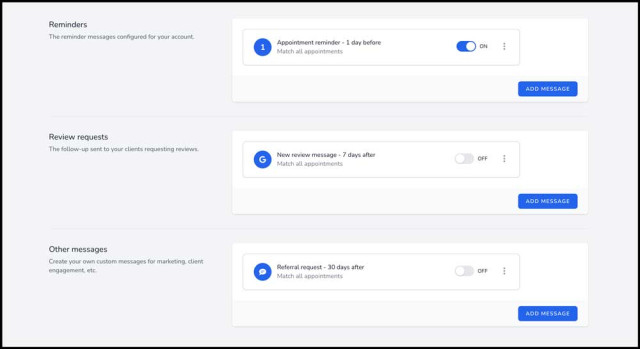
You can add, change, or change the timing of all your messages sent with Clientping. Add online review requests, custom types of reminder messages, and even bring in new business by scheduling a one-time thank you message asking your clients for referrals.

Tom Jensen

Aug 4, 2022

How Clientping Works

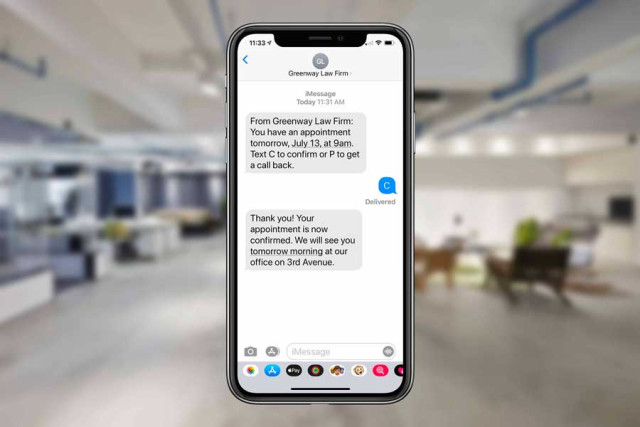
Clientping manages your appointment reminders and review requests. Once connected, your clients will receive text messages confirming their appointments, and if you choose, review requests for public Google, Facebook, and Avvo reviews, as well as other sites.


Tom Jensen

May 2, 2022